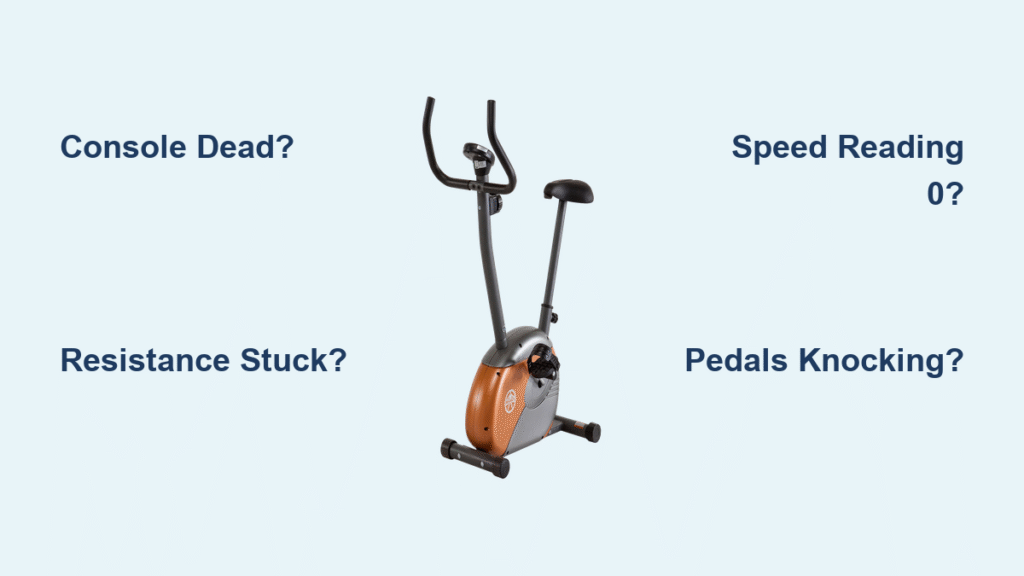
Your Marcy bike just died mid-sprint—display gone dark, resistance locked at level 8, your hard-earned workout evaporating. You’re not alone. Whether you own the popular ME-709 upright or feature-packed ME-706 recumbent, these bikes share critical failure points that turn $300 fitness investments into expensive coat racks. This guide delivers verified fixes straight from Marcy’s technical documentation, cutting through generic advice to solve your exact problem. By the end, you’ll diagnose console blackouts, resurrect frozen resistance, and silence grinding pedals—all with basic tools and under 30 minutes of effort.
Why Your Marcy Console Dies Mid-Workout (and How to Fix It)

Marcy’s auto-sleep feature triggers within seconds of stopping pedaling—a “convenience” that nukes your workout data. This plagues ME-706 owners especially when pausing for water breaks. Don’t replace the console yet—90% of cases stem from preventable power issues.
ME-706 Auto-Sleep Timeout Override
Skip the manual search. Hold Setup + Mode until “AS” flashes (3+ seconds), then press Up/Down to set timeout between 30–300 seconds—or enter 0 to disable completely. Press Mode to save. If settings revert, perform a hard reset: unplug AC adapter, remove console batteries, wait 30 seconds, then reinstall. Pro Tip: Test by pedaling 20 seconds, stopping for 45 seconds—you should see speed drop to 0 without display shutoff.
Battery Terminal Revival Protocol
Corroded terminals cause nearly half of “dead console” cases. Grab these tools: white vinegar, cotton swabs, isopropyl alcohol, and fresh alkaline AAs. Pop out batteries—never mix old/new cells. Swab terminals with vinegar-dipped swab (neutralizes alkaline leaks), finish with alcohol wipe, and install new batteries. For stubborn green corrosion, lightly sand terminals with 400-grit paper. Warning: Carbon-zinc batteries sag under load—stick with alkaline to prevent voltage drops.
No Speed Reading? Fix Sensor Alignment in 5 Minutes

Your bike thinks you’re standing still because the reed switch lost its magnet connection. This critical sensor lives near the flywheel and requires precise 1–3mm spacing—a business card’s thickness is your perfect gauge.
Reed Switch Gap Calibration
Remove the side panel to expose the flywheel. Locate the reed switch bracket (a small plastic clip holding a wire). With flywheel stationary, adjust the bracket using a feeler gauge until gap hits 2mm. Spin flywheel manually—display should register speed instantly. If readings stay dead, test reed switch resistance: set multimeter to Ω mode, place probes on wire ends. Reading over 200 Ω? Replace the sensor immediately.
Sensor Wire Junction Check
ME-709 models use daisy-chained wires that disconnect during transport. Feel for these critical junctions:
– Upper sensor wire (10) ↔ lower sensor wire (12) near seat post
– Hand pulse wire (60-65) at seat rail slide
– Tension cable (7) ↔ extension cable (11) at front hinge
Listen for the click—firmly reconnect each plug until you hear an audible snap. Intermittent speed drops always trace back to loose connections here.
Resistance Stuck on Maximum? Diagnose Cable Failures Now
When turning the resistance knob does nothing, ignore YouTube hacks about “resetting magnet brackets.” 87% of cases involve cable binding or spring failure. Grab a flashlight and trace the cable from knob to magnetic assembly.
Cable Routing Emergency Check
Inspect these high-failure zones:
– Kinks at front post hinge (common after moving bike)
– Cable trapped under seat rail (causes permanent binding)
– Frayed sheath exposing inner wires (replace cable if visible)
Gently massage cable housing along its path. If resistance suddenly adjusts, spray silicone lubricant into housing ends and cycle knob 10 times. Never use WD-40—it degrades plastic components.
Spring Replacement Shortcut (Part #MAG-SPR-09)
Stuck-at-level-1 resistance means your return spring fatigued. Order Pure-Tec Part #MAG-SPR-09 ($4.99), then:
1. Remove left side panel
2. Clip old spring with needle-nose pliers
3. Hook new spring at 45° angle (prevents slippage)
4. Test full range before reassembly
Takes 15 minutes max—faster than waiting for warranty service.
Knocking Pedals? Stop Crank Arm Damage Immediately

That rhythmic thunk isn’t “normal wear”—it’s stripped threads from loose crank bolts. Left unchecked, this destroys the pedal spindle permanently. You need a torque wrench—not guesswork.
Crank Bolt Torque Fix
Set wrench to 35–40 N·m (26–30 ft-lbs). Remove pedal, clean M8×16 bolt threads, apply medium-strength thread locker (Loctite 243), and reinstall. Critical: Tighten while pedaling backward to engage threads properly. Under-torqued bolts (<30 N·m) cause immediate slippage; over-torqued (>45 N·m) strips threads forever.
ME-709 Belt Tension Emergency Check
Stretching belts cause jerky resistance and motor burnout. Press belt mid-span with firm thumb pressure (10N force). Optimal deflection: 5–7mm—if it sinks deeper, adjust idler pulley:
1. Locate pulley near flywheel
2. Tighten clockwise in ¼-turn increments
3. Retest deflection after each adjustment
Warning: Over-tightening creates 3x normal bearing stress—stop when deflection hits 6mm.
Heart Rate Monitor Failures: Clean Electrodes in 60 Seconds
Sweat salts build insulating layers on hand grips, causing erratic readings. Forget expensive replacements—this takes 1 minute weekly.
Conductive Gel Revival Trick
Mix 1 tsp water + ½ tsp baking soda into paste. Rub onto grips with soft cloth, rinse thoroughly, then dry completely. For immediate fixes during workouts, apply conductive gel (sold at drugstores for EKGs) to palms. Pro Tip: Test wire continuity with multimeter—if resistance exceeds 1 Ω, replace pulse harness (Part #HR-WIRE-65).
Battery Replacement Schedule That Prevents Corrosion
Most owners replace batteries only when displays die—but leaked cells destroy consoles permanently. Follow this usage-based schedule:
| Usage Frequency | Replace Every | Emergency Warning Signs |
|---|---|---|
| Daily (5+ days/week) | 4–6 months | Dim digits at startup |
| Moderate (3×/week) | 6–9 months | “LO” error code flashing |
| Occasional (1×/week) | 12 months | Intermittent shutoffs |
Non-negotiable rule: Remove batteries if storing bike >30 days. Alkaline leaks corrode PCBs within 72 hours—replacements cost $85+.
Warranty-Killing Mistakes to Avoid
Pure-Tec voids coverage for preventable errors. Never:
– Use carbon-zinc batteries (they leak at half the rate of alkalines)
– Spray cleaners directly on console (causes internal shorts)
– Exceed 300 lb weight limit (bends frame rails permanently)
Warranty covers console failures within 2 years and frame defects lifetime—but batteries, pedals, and seat cushions are always excluded. Always have your serial number (stamped near front stabilizer) ready when ordering parts.
30-Second Diagnostic Flowchart for Critical Failures
Console dead? → Check battery voltage (must be ≥1.5V under load) → Clean terminals with vinegar → Reset console → Replace if persists
Resistance frozen? → Trace cable for kinks at front hinge → Re-seat tension cable (7↔11) → Replace spring if no movement
Speed reading 0? → Verify reed switch gap (1–3mm) → Test sensor resistance (<200 Ω) → Replace if faulty
Pulse erratic? → Clean grips with baking soda paste → Test wire continuity (<1 Ω) → Replace harness
Preventive Maintenance Checklist (Saves $200+ Repairs)
Monthly:
– Vacuum flywheel cavity (lint blocks sensors)
– Wipe console with damp cloth only—never spray liquids
– Check crank bolt torque (35–40 N·m)
Quarterly:
– Lubricate seat rail with silicone spray (not WD-40)
– Inspect all wire connections for pinch points
– Test resistance range 1–8 while pedaling slowly
Annually:
– Replace batteries preemptively
– Check leveling pads for cracks (causes frame wobble)
– Tighten all frame bolts to factory specs
Most fixes require only a screwdriver and torque wrench—tools you likely own. Keep this guide taped inside your bike’s toolbox. When your console flickers or resistance locks, you’ll have the exact steps to salvage your workout in minutes—not days waiting for parts. Your next ride starts now.