Walking pads have transformed how remote workers and desk professionals stay active, offering a practical solution to combat sedentary lifestyles. These compact under-desk treadmills let you accumulate thousands of steps while answering emails, attending meetings, or watching your favorite shows. Yet most users miss out on their full potential by making common setup and usage mistakes. Without proper walking pad tips, you might experience premature wear, inefficient workouts, or even injury. This guide delivers actionable strategies to maximize your walking pad’s benefits while extending its lifespan, helping you build sustainable movement habits that fit seamlessly into your daily routine. Discover how to transform passive screen time into productive movement opportunities with these essential walking pad techniques.
Position Your Walking Pad for Maximum Stability

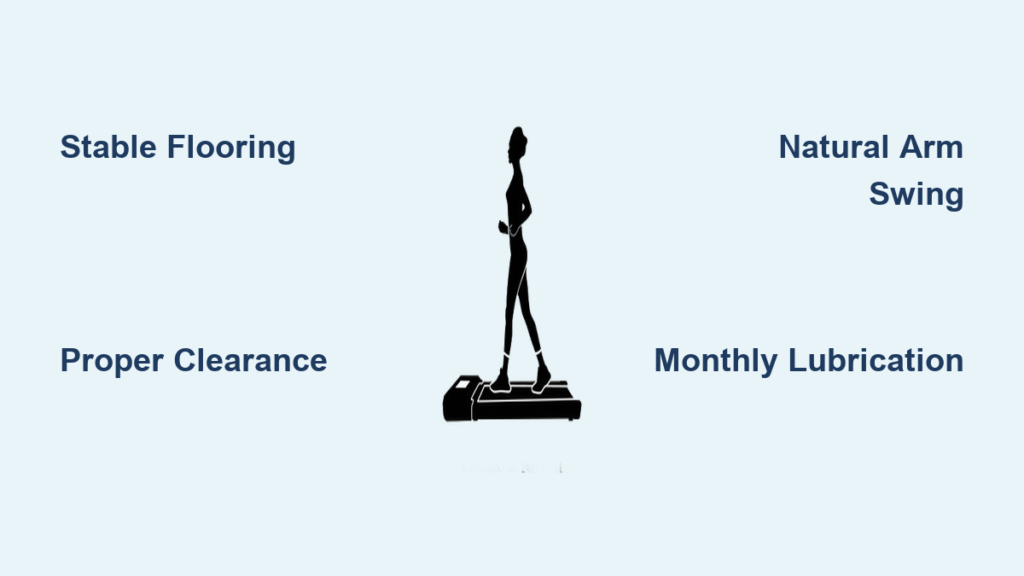
Where you place your walking pad significantly impacts both your comfort and the machine’s performance. Installing your walking pad on carpet creates unnecessary friction that accelerates belt wear and strains the motor. Instead, position it on hard flooring like hardwood, tile, or laminate where the machine can maintain stable operation. If carpet is your only option, use a dedicated treadmill mat that provides a flat, stable surface while protecting your flooring from potential damage.
Ensure Proper Electrical Clearance
Your walking pad needs consistent power without creating tripping hazards. Measure the distance from your workspace to the nearest outlet before setup to ensure the power cord reaches comfortably. Never drape cords across high-traffic areas or under doors where they might get pinched or damaged. Keep the power adapter elevated off the floor to prevent moisture damage, especially in basements or rooms prone to humidity. A cord management system keeps everything organized while reducing the risk of accidental disconnection during use.
Create Adequate Safety Space
Many users underestimate the clearance needed around their walking pad, leading to dangerous close calls when stepping on or off the moving belt. Maintain at least three feet of open space behind the machine for safe dismounting and two feet on each side for stability. This buffer zone prevents collisions with furniture or walls if you lose balance momentarily. If space is limited in your home office, consider positioning your walking pad perpendicular to your desk rather than parallel—this configuration often works better in compact rooms while maintaining proper ergonomics.
Perfect Your Walking Form While Working
Walking on a moving belt requires different technique than walking on solid ground, and poor form quickly leads to fatigue or injury. Most users make the critical mistake of leaning heavily on their desk or handrails, which shifts weight improperly and reduces the health benefits of walking. Stand tall with your core gently engaged and shoulders back, keeping your weight centered over the belt rather than leaning forward.
Maintain Natural Arm Movement
Your arms should swing freely at your sides in coordination with your legs, not grip your desk or console for support. This natural arm motion increases calorie burn by approximately 15% while improving balance. If you find yourself reaching for support, you’re likely walking too fast for your current fitness level. Start at a slower pace where you can maintain proper form without assistance, gradually increasing speed as your stability improves. Remember that effective walking pad use prioritizes consistent, sustainable movement over speed.
Optimize Screen Positioning
Neck strain is one of the most common complaints among walking pad users, almost always caused by improper screen height. Position your monitor so the top of the screen aligns with your eye level when standing straight. Looking down at a laptop screen for extended periods while walking creates significant neck tension that can sideline your routine. A simple laptop stand or monitor riser solves this problem while promoting better posture. Test your setup by walking for five minutes—if you notice yourself craning your neck or hunching your shoulders, readjust until your spine maintains its natural alignment.
Build Walking Habits That Stick
The biggest challenge with walking pads isn’t the equipment—it’s maintaining consistent usage. Many users abandon their walking routines within weeks because they set unrealistic expectations or fail to integrate walking into their existing schedule. Successful walking pad users treat their sessions like non-negotiable appointments, scheduling specific times for movement rather than hoping to fit it in “when they have time.”
Start with Micro-Sessions
Begin with just 10-15 minute walking sessions twice daily instead of attempting hour-long marathons. This approach prevents burnout while allowing your body to adapt gradually to the new movement pattern. Set reminders on your phone or calendar to prompt your walking breaks—many productivity experts recommend walking during the natural energy dips that occur mid-morning and mid-afternoon. As these short sessions become habit, gradually increase duration by five minutes every week until you reach your target daily step count.
Pair Walking with Low-Cognitive Tasks
Maximize your walking time by reserving it for activities that don’t require intense focus. Walking while listening to podcasts, participating in conference calls that don’t require note-taking, or watching television transforms passive time into productive movement. Create a “walking only” playlist of your favorite audio content to build positive associations with your walking routine. This strategy makes walking feel less like exercise and more like an enjoyable part of your daily routine.
Perform Essential Weekly Maintenance

Regular maintenance extends your walking pad’s lifespan by years while ensuring quiet, smooth operation. Neglecting basic care leads to belt slippage, motor strain, and premature component failure that could have been prevented with minimal effort. Investing just 10 minutes weekly in maintenance saves you from costly repairs or early replacement down the line.
Clean Thoroughly After Each Use
Wipe down the belt surface and console with a dry or slightly damp cloth after every session to remove sweat and dust. Sweat contains salts that corrode metal components over time, while dust buildup creates unnecessary friction. Pay special attention to the area where the belt meets the deck—this is where debris accumulates and causes abnormal wear. Never spray cleaning products directly onto the machine; apply them to your cloth first to prevent liquid from seeping into electronic components.
Lubricate the Belt Monthly
Most walking pads require monthly belt lubrication with silicone-based treadmill lubricant to maintain smooth operation. Signs your belt needs lubrication include squeaking sounds, uneven belt movement, or increased motor noise. Apply lubricant according to your manufacturer’s instructions, typically by lifting the belt edge and applying along the center of the deck. After application, walk on the pad for two minutes at low speed to distribute the lubricant evenly. Over-lubricating creates slipping hazards and attracts more dust, so use only the recommended amount.
Troubleshoot Common Performance Issues
Even well-maintained walking pads occasionally develop problems that disrupt your routine. Understanding how to address these issues quickly prevents minor problems from becoming major frustrations that derail your walking habit.
Fix Belt Misalignment Immediately
If your belt consistently drifts to one side during use, adjust the rear roller bolts following your manufacturer’s specifications. Make quarter-turn adjustments to the bolt on the opposite side of the drift, then test the belt movement. Never make more than a half-turn adjustment at once, as over-correction creates additional problems. Proper belt alignment prevents uneven wear that would require premature belt replacement.
Reduce Excessive Noise
Squeaking noises usually indicate insufficient lubrication, while knocking sounds suggest loose components or debris in the mechanism. First, check for obvious debris around the belt edges and remove any obstructions. If noise persists, verify that all bolts and screws are properly tightened according to the manufacturer’s torque specifications. Placing a treadmill mat beneath your walking pad significantly reduces noise transmission to rooms below, especially on hard flooring surfaces.
Extend Your Walking Pad’s Lifespan
Your walking pad represents a significant investment, and proper care ensures you get maximum value from your purchase. Electronic components are particularly vulnerable to environmental factors that many users overlook.
Protect Against Power Surges
Always plug your walking pad into a quality surge protector rather than directly into the wall outlet. Power surges can damage sensitive electronics without immediate visible symptoms, leading to premature failure months later. Unplug your walking pad during extended periods of non-use, such as vacations, to eliminate the risk of power-related damage. This simple habit extends your machine’s electronic lifespan by years.
Store Properly During Extended Breaks
If you won’t be using your walking pad for several weeks, prepare it for storage properly. Clean and lubricate the belt thoroughly before covering it with a breathable fabric cover—not plastic, which traps moisture. Store the machine in a climate-controlled environment away from direct sunlight, extreme temperatures, and humidity. Basements with moisture issues or garages with temperature extremes significantly reduce component longevity.
Final Note: The most successful walking pad users integrate movement seamlessly into their workday through strategic setup, proper technique, and consistent maintenance. Position your machine on stable flooring with adequate clearance, maintain natural walking form without leaning, and start with manageable 10-15 minute sessions. Clean after each use, lubricate monthly, and address belt issues immediately to prevent minor problems from becoming major repairs. By implementing these walking pad tips consistently, you’ll transform sedentary work hours into thousands of daily steps while extending your machine’s lifespan for years of reliable service. Start today by scheduling your first micro-walking session—your future self will thank you for the improved energy, focus, and long-term health benefits.